Civil Engineering Student @ York University
AutoCAD Designs / Projects
Every showcase here will have a small description talking about each project and will have a link to the pdf underneath for a clearer image.
Lab 5 Part 4

I put this example here because this is one of my early stages of AutoCAD where I was learning about layers at the time. I wanted to showcase how far I have improved on my skills.
Lab 7 part 4

This hex bolt shown above is on of my favorite labs I've done because we used dynamic block. To stretch the bolt as shown below I created a parameter and action to stretch the bolt's shank from 1 inch to 3 inches, and it's even possible to stretch out to 7 inches.
Put all of Lab 8 here


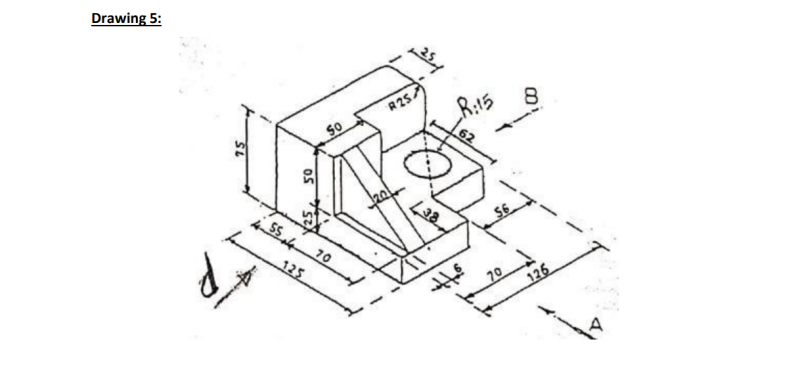

This project was about parallel projections. Working with projections helps your brain break down images into perspective projections and angles. At first the images look intimidating but breaking them down into parts help you have a better understanding of the drawing. This will help me in the future with more complex designs.
Steel Connection
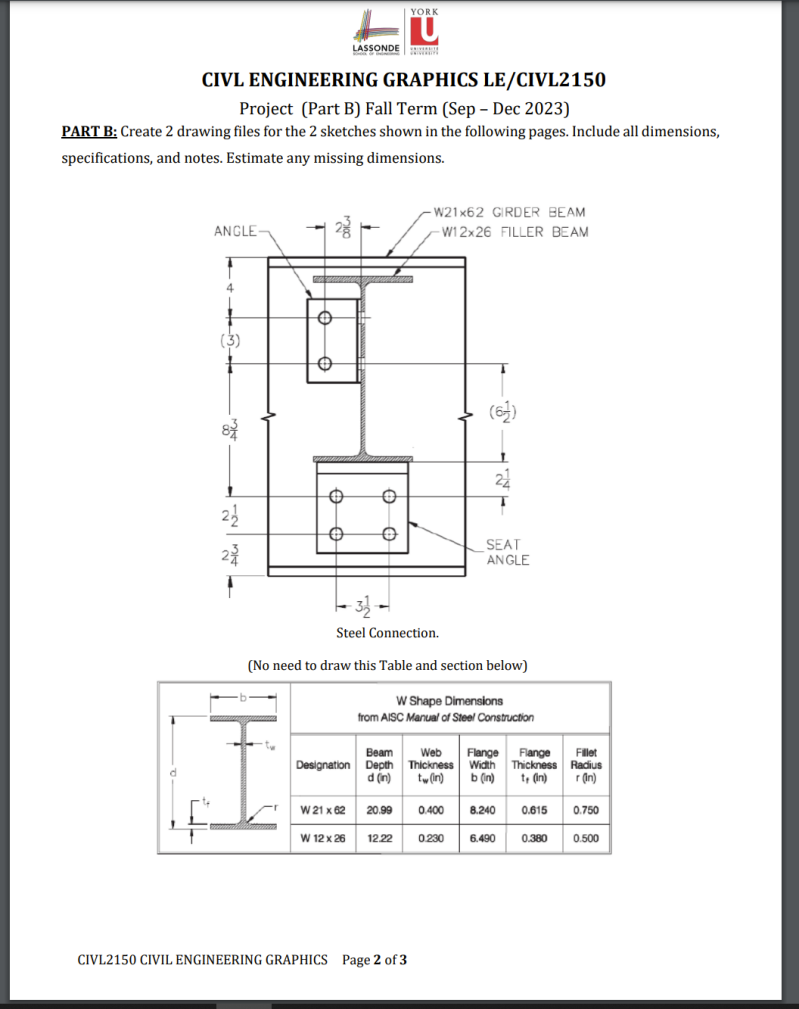
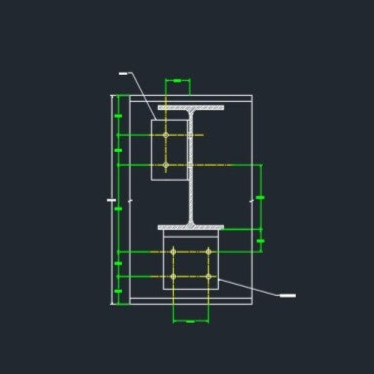
I was given here a sketch to create in AutoCAD from an ASIC manual of steel construction. My goal was to replicate the sketch as much as I can given the all of the measurements in the sketch and trying to estimate any missing dimensions.
The first Image you see is the sketch of the steel connection, the second picture you see is my AutoCAD version of the sketch as accurate as can be.
For a clearer picture you can click the pdf below.
FillerBeamProjectB-Layout1.pdf
House Design Project
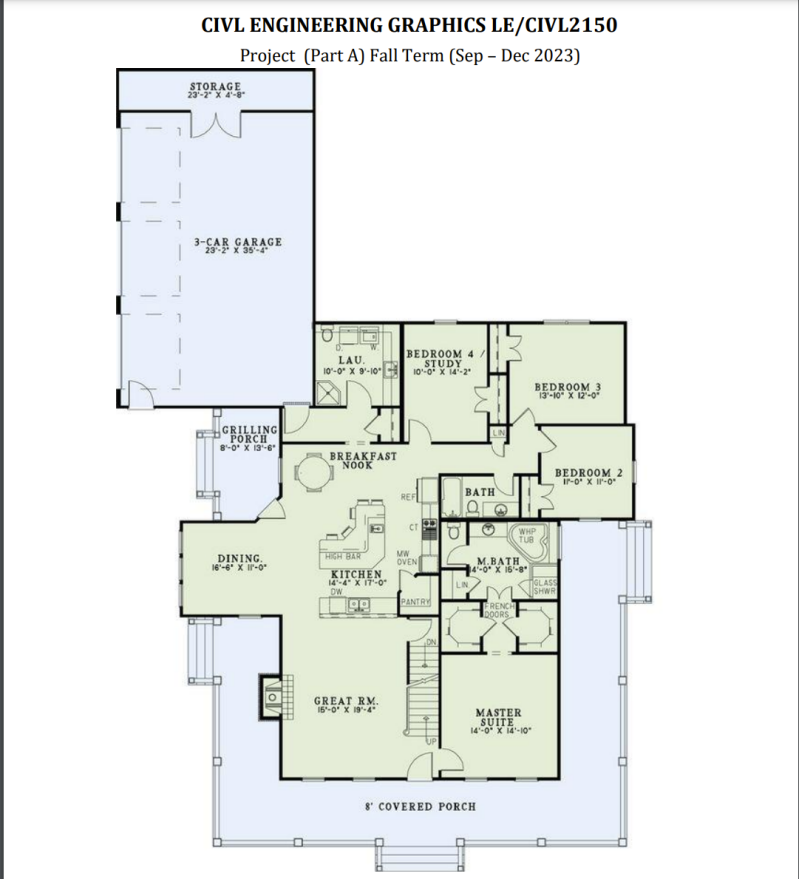
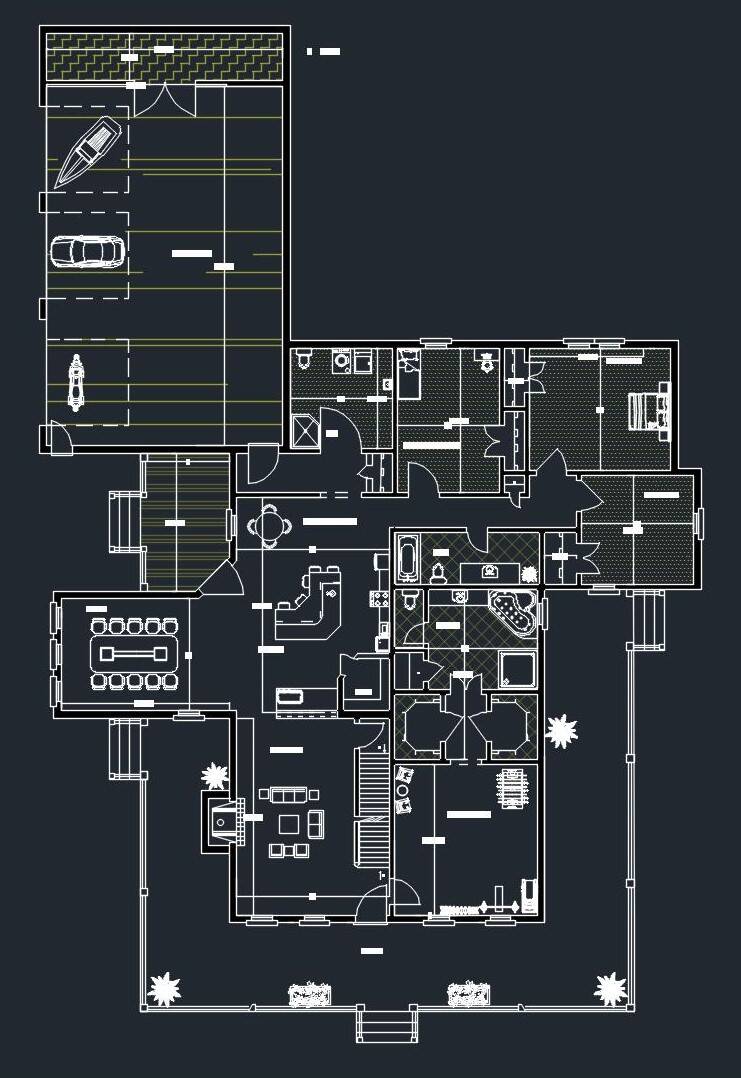
A client has brought me a main floor house plan sketch (not drawn to scale) and wanted me to create a more accurate drawing as a first draft.
The first Image you see is the hand drawn sketch of the floor plan, the second picture you see is my AutoCAD version of the hand drawing with a few modifications.
For a better picture you can click the pdf below.
Project B Outdoor Landscape
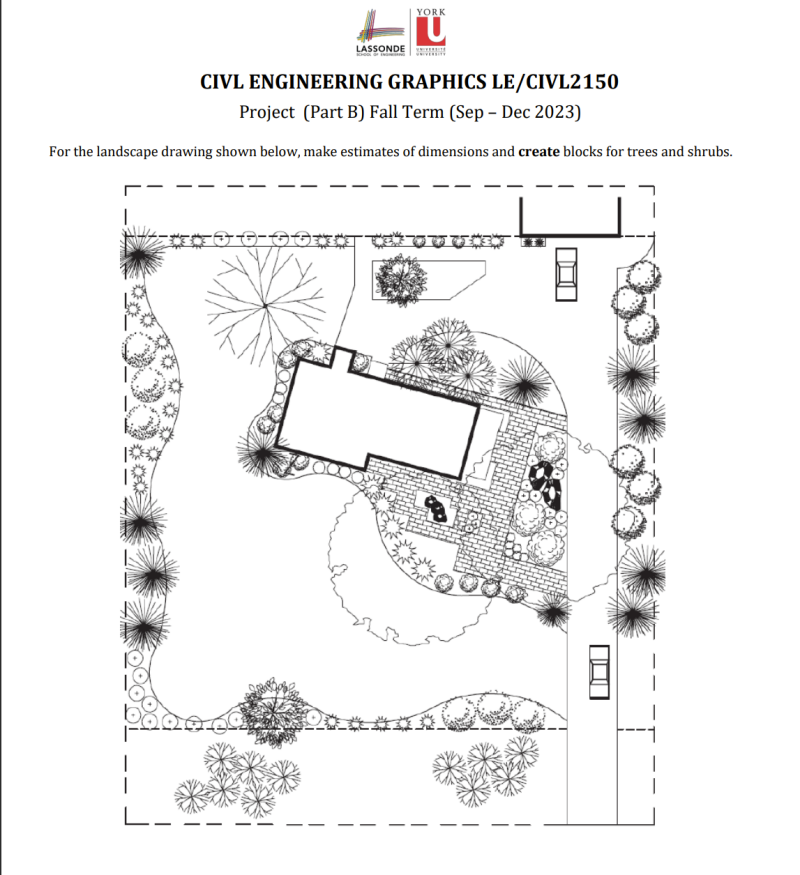

AutoCAD drawing was drawn from scratch (excepts the import blocks like the trees and the car). Given no dimensions of this landscape and had to make assumptions for a lot of this.
The first Image you see is the Landscape drawing with no dimensions. The second picture you see is my AutoCAD version of the Landscape attempting to have accuracy with the drawing.
Can't seem to get a clear image here. For a better picture you can click the pdf below.
Create Your Own Website With Webador